
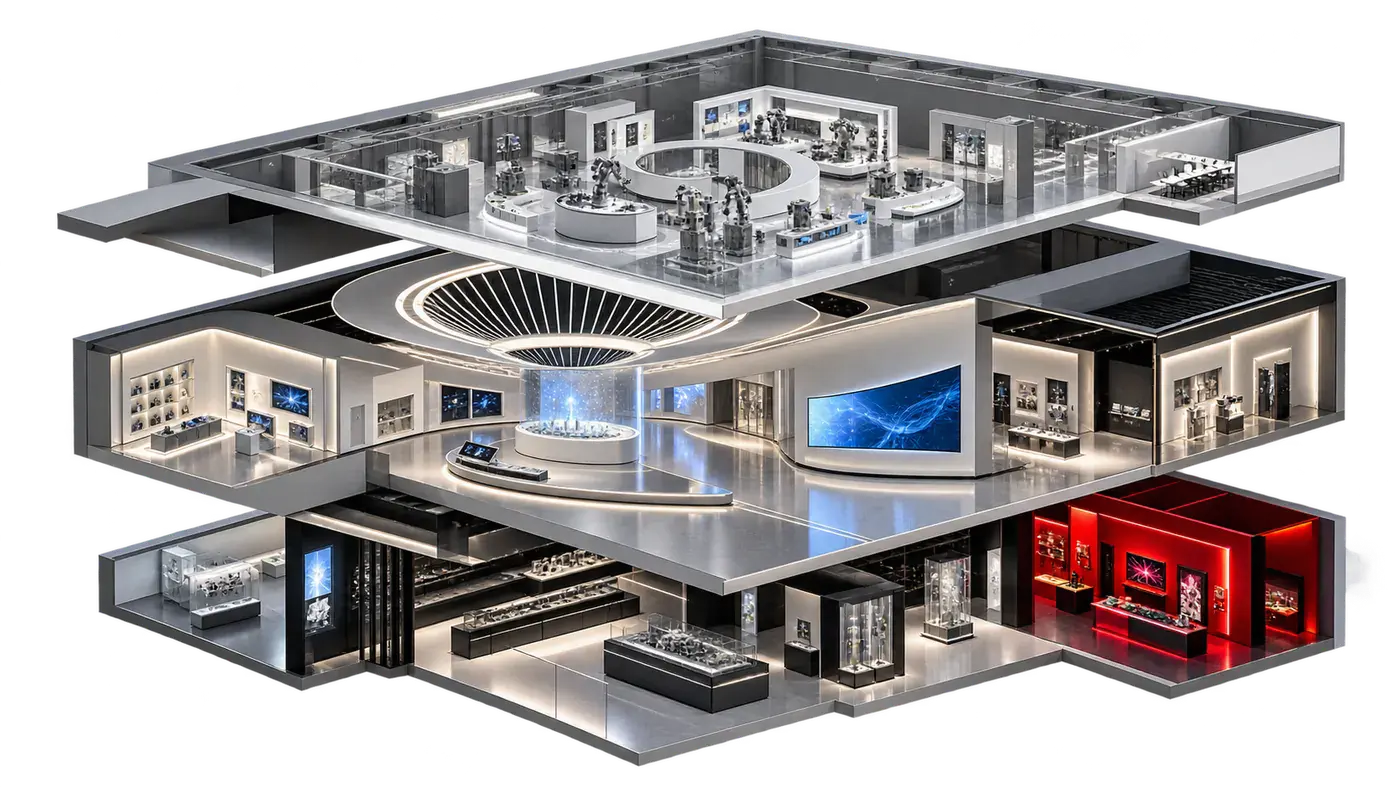
Showroom construction and multimedia production should be coordinated through the same exhibit requirements and decision schedule. They can be separate work packages, but they cannot be planned as if each will simply fit into the other at the end.
The practical objective is to establish what each exhibit must do, who owns its interfaces and when the relevant information must be approved. This is especially useful when an overseas design team and a local delivery team are working together.
Use an exhibit schedule as the common reference
Give each exhibit a stable name or number and describe its visitor purpose. Add columns for physical objects, display surfaces, media, interaction, audio, control and operating needs. A short coordinated schedule is often more useful than separate image boards and equipment lists that use different names.
For a product story wall, for example, the record should connect the products being shown, the available wall space, the explanation, the media format and how a host will start the presentation. Mark assumptions so that they do not quietly become commitments in another work package.
Confirm the display format before producing final media
The visible image area, proportions, orientation and playback arrangement affect how content is composed. These decisions should be communicated before final animation, filming or interface production. A standard presentation file may be useful source material without being a finished exhibition deliverable.
Keep the display specification and content specification linked. When either changes, review the effect on the other. The aim is not to freeze an early idea too soon, but to know which decisions must be stable before money is committed to final production.
Resolve physical and technical interfaces together
Construction drawings need to account for equipment locations and the routes, access and supporting details that the technical team identifies. The equipment team needs accurate dimensions and an understanding of the finishes around its installation.
Bring these questions into coordinated reviews rather than passing them through informal messages. The responsible project specialists should confirm the project-specific structural, electrical and building requirements. A website guide cannot replace their design checks; its role is to help the client recognize the interfaces that require an owner.
Separate story approval from technical acceptance
Review the message and script before judging polished graphics. Then review representative visual frames, followed by the produced sequence or interactive flow. Each review should say what is being approved and which comments remain open.
Technical acceptance asks a different set of questions: does the approved content display correctly, does the interaction respond as intended, can the host operate it, and can the system recover from an ordinary interruption? Content approval does not demonstrate that these operating conditions have been tested.
Make changes visible across all work packages
A change to a product list may affect copy, animation, display cases and visitor flow. A revised screen position may affect the composition of a film and the location of a control point. Record the change, its owner and the packages that need a response.
Maintain one agreed set of current drawings and media specifications. Older files should remain identifiable as superseded. This is particularly important where several companies are reviewing work remotely and different people may otherwise comment on different versions.
Allow time for testing in the actual environment
A file that plays correctly on a workstation still needs to be reviewed in the space. Check the experience from the intended visitor position and with the proposed guided or self-directed sequence. Review readability, audio interaction, transitions and the host’s workflow.
Use a structured issue list and assign responsibility for each item. Separate a content correction from a construction adjustment or a control-system change, while keeping them in one handover discussion. The multimedia handover checklist gives a useful framework.
Plan a coordinated package in China
DASHI DIGITAL works across showroom design development and construction and multimedia content and systems integration. Scope and interfaces are agreed for the individual project; collaboration with an appointed overseas designer can be included in that discussion.
For examples of physical and digital display relationships, explore the OFILM showroom and Smart Living Experience Center. These pages describe the available visual evidence and do not imply that every project has the same scope. Tell us about your proposed space and media requirements.
Before your first discussion
Helpful Information
to Have Ready.
These details help us prepare a more focused discussion.
- Location (city / venue if known)
- Plans (if available)
- Audience (target visitors)
- Design stage
- Target opening window
- Budget range (if available)
The final scope and programme depend on your project and site conditions.